


Gigabyte Aero X16 Review: Specs, Performance & Real-World Use
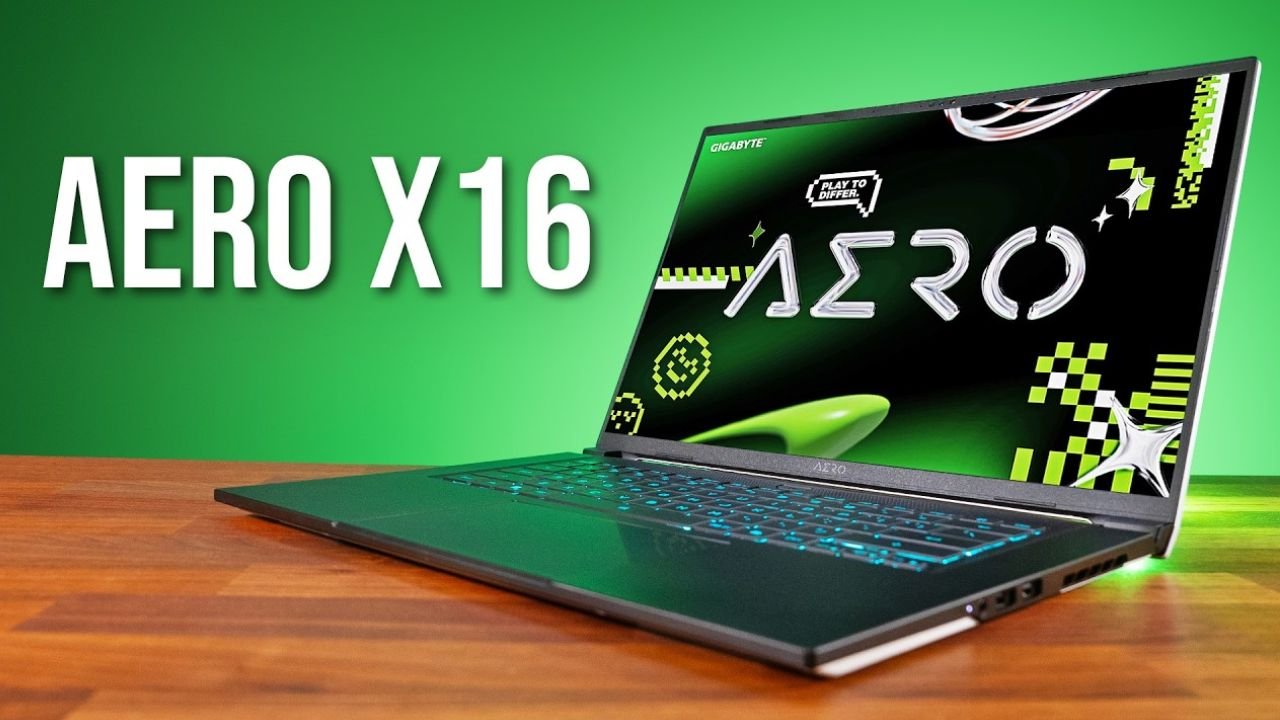
Choosing a laptop today is harder than it should be. You’re not just picking a device—you’re choosing between portability, performance, battery life, and whether it can actually keep up with your workload or gaming habits. The Gigabyte Aero X16 enters this crowded space as a “creator + gaming hybrid,” promising powerful specs in a slim, professional-looking body. But that promise is exactly what makes buyers skeptical.
On paper, it looks impressive: a high-refresh display, modern AMD or Intel CPU options (depending on configuration), dedicated NVIDIA graphics, and a lightweight chassis aimed at professionals who also game. However, many laptops look good in spec sheets but behave differently in real use—thermal throttling, loud fans, weak battery life, or underwhelming color accuracy can completely change the experience.
This article breaks down the Gigabyte Aero X16 from a practical perspective. Not just what it claims to be, but how it actually performs in day-to-day use cases like video editing, gaming, multitasking, and travel work. If you’re trying to decide whether it’s worth your money or just another overhyped creator laptop, this guide will help you make a grounded decision.
Gigabyte Aero X16 Overview
The Gigabyte Aero X16 is positioned as a thin-and-light performance laptop designed for creators, designers, and gamers who want one machine for everything. It sits in the same category as devices like the ASUS Zephyrus G series and Lenovo Slim Pro gaming laptops.
What makes it stand out is its balance attempt: instead of going extreme on gaming performance or pure workstation power, it tries to sit in the middle—offering a premium display, strong GPU options, and a relatively clean design that doesn’t scream “gaming laptop.”
In real-world terms, this means:
- You can use it in meetings without looking like you brought a gaming rig
- You can edit videos or work in Photoshop smoothly
- You can still play modern AAA games at respectable settings
But that balance comes with trade-offs, which we’ll explore in detail.
Design and Build Quality
The Aero X16 follows Gigabyte’s “minimalist creator laptop” design language. The chassis is slim, with a matte finish that resists fingerprints reasonably well. It doesn’t feel as flashy as gaming-focused laptops, which is intentional.
Real-world feel:
- The body feels solid but not ultra-premium like MacBooks or Razer Blades
- Slight flex is noticeable on the keyboard deck under pressure
- The hinge is stable and opens smoothly with one hand in most units
Portability is one of its strengths. At around the 16-inch category, it still feels manageable in a backpack. However, once you add the charger, weight becomes noticeable—especially if you’re commuting daily.
Display: One of Its Strongest Features
One of the biggest selling points of the Gigabyte Aero X16 is its display. Gigabyte typically focuses heavily on color accuracy for creators, and this model continues that trend.
Typical display characteristics:
- 16-inch QHD+ (or similar resolution depending on variant)
- High refresh rate (often 165Hz class)
- Factory-calibrated color accuracy (important for designers)
- Thin bezels for modern look
Practical experience:
For creative work like Photoshop, Lightroom, or video editing, the display is genuinely a highlight. Colors look natural rather than oversaturated, which is crucial for professional work.
For gaming, the high refresh rate makes motion feel smooth, especially in fast-paced titles like FPS or racing games. However, brightness outdoors can feel slightly limited compared to premium ultrabooks.
Performance: CPU + GPU Balance
The Aero X16 is designed to handle both productivity and gaming workloads. Depending on configuration, it typically includes modern AMD Ryzen or Intel Core H-series processors paired with NVIDIA RTX GPUs (such as RTX 4050/4060/4070-class options).
What this means in real usage:
1. Productivity (Office, Browsing, Multitasking)
- Extremely smooth performance
- Handles dozens of Chrome tabs + apps without lag
- Ideal for remote work or student workloads
2. Content Creation (Video Editing, 3D, Photoshop)
- Adobe Premiere Pro performs well with GPU acceleration
- 4K editing is possible, though heavy effects may require proxy workflows
- Blender rendering is solid in mid-level projects
3. Gaming Performance
- AAA games run smoothly at 1080p or QHD with optimized settings
- Esports titles (Valorant, CS2, Fortnite) easily exceed high FPS targets
- Ray tracing is usable but requires DLSS or reduced settings
Important reality check:
This is not a full desktop replacement. Under sustained heavy loads, performance can dip slightly due to thermals, which is expected in thin laptops.
Thermals and Fan Noise
Thermals are where most thin performance laptops show their limitations, and the Aero X16 is no exception.
In practice:
- Light tasks: quiet or near-silent
- Gaming: noticeable fan noise
- Heavy rendering: consistent airflow noise
The cooling system does a decent job keeping temperatures under control, but prolonged workloads can lead to mild throttling. It’s not performance-breaking, but you may notice slight FPS drops in long gaming sessions or rendering exports.
Using performance modes or a cooling pad can improve stability.
Battery Life: Average but Not Exceptional
Battery life is one of the weakest areas of most gaming-creator hybrids, and the Aero X16 follows that pattern.
Real-world expectations:
- Light usage (web, documents): 5–7 hours
- Mixed usage: 4–6 hours
- Gaming: 1.5–3 hours (plugged in recommended)
This is not a laptop you’ll comfortably use all day without charging if you’re doing anything intensive. For students or professionals on the move, carrying the charger is essential.
Keyboard, Trackpad, and Daily Use
The keyboard is comfortable for long typing sessions, with decent key travel and spacing. It’s not mechanical-feeling, but it’s reliable for writing, coding, or editing.
The trackpad is smooth and responsive, though not quite at MacBook level in terms of precision. It gets the job done for productivity, but many creators will still prefer an external mouse.
Ports and Connectivity
The Aero X16 offers a practical selection of ports for creators:
- USB-A ports for peripherals
- USB-C (often with display + power support)
- HDMI for external monitors
- Audio jack
- Charging port
This makes it convenient for multi-monitor setups, especially for editing or office workflows.
Software Experience
Gigabyte typically includes its control center software for performance modes, fan control, and power profiles.
What users usually notice:
- Easy switching between performance modes
- Useful fan control for balancing noise and cooling
- Some pre-installed utilities that can be removed if not needed
It’s not overly bloated compared to some competitors, but still not as clean as a fresh Windows install.
Who Should Buy the Gigabyte Aero X16?
This laptop is not for everyone. It fits a very specific type of user.
Ideal for:
- Content creators (video editors, photographers)
- Students in design/engineering fields
- Gamers who also need productivity performance
- Professionals wanting one machine for work + entertainment
Not ideal for:
- Users who prioritize all-day battery life
- Hardcore gamers wanting maximum GPU performance
- People wanting ultra-light travel laptops
- Budget buyers looking for value-first devices
Pros and Cons
Pros:
- Strong overall performance for its class
- Excellent color-accurate display
- Good balance of gaming and productivity
- Modern, clean design
- Decent port selection
Cons:
- Battery life is average at best
- Fans can get loud under load
- Some thermal limitations in long sessions
- Not the lightest 16-inch laptop
Final Verdict
The Gigabyte Aero X16 is best understood as a “balanced performer” rather than a category leader. It doesn’t beat dedicated gaming laptops in raw performance, and it doesn’t match ultrabooks in battery efficiency. But it succeeds in combining both worlds in a way that actually works for many users.
If your workflow includes a mix of creative work, productivity, and gaming—and you want a single machine that can handle all three—the Aero X16 is a solid and practical choice. Just go in with realistic expectations about battery life and thermals.
In a market full of extreme devices, the Aero X16 stands out not by being the best at one thing, but by being good enough at everything that matters.
Outing Club we explore gaming trends, gameplay experiences, and the latest titles that shape the gaming world. We bring simple insights and updates to help gamers enjoy and understand their favorite games better.